How to disable the default tooltip while hovering over a column or a cell in igx-grid.
New Discussion
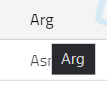
I don’t want the default tooltip to be shown on particular columns such as columns with the datatype of date, I looked into the title property of the igx-column but was unable to disable it. Is there any approach or flag where I can disable this default tooltip behavior in igx-grid. I cant use the ng-template and igx-cell directive because I am using pipeArgs in date for timezone conversion already is there any different approach apart from this where I can simple disable the default tooltip of a particular column.
Sign In
to post a reply
Replies

- You must be logged in to reply to this topic.
Discussion created by
Favorites
Replies
Created On
Last Post
Discussion created by
 Jibin Philipose
Favorites
0 Replies
3 Created On
Jul 23, 2021 Last Post
5 years, 3 months ago Suggested Discussions
DISCUSSION
VIEWS
REPLIES
LAST POST
How can I add a title attribute (tooltip) to a cell in the grid?
I’m using Knockout JS and I have an additional model property ‘comments’ that I w…


VIEWS
96,127
REPLIES
4
LAST POST
13 years, 2 months ago How do I get the tooltip text on a control (UltraToolTipManager) to show when I mouse over the grid cell to which the control is assigned as the editorcomponent
I have some nicely formatted tool tip text that is created using the UltraTooltipManager assigned t…

VIEWS
92,327
REPLIES
5
LAST POST
7 years, 8 months ago Set igx-select Width Inside igx-grid Cells and igx-dialog
Hello, I have multiple igx-selects that are used to display a drop-down list. The igx-s…

VIEWS
184,130
REPLIES
6
LAST POST
4 years, 7 months ago igx grid cell spanning (cell merge)
We are using igx grid with Angular 8, and we are trying to achieve cell merge as below using igx gr…

VIEWS
100,754
REPLIES
7
LAST POST
6 years, 5 months ago 