Anitha Chellaperumal
answered on Aug 11, 2020 5:42 PM
Hi Monika,
Thank you. I created new .NET Core 3.1 project and removed all jQuery reference but still the grid is not visible on the page. you can see the page doesn’t have any layout reference to bootstrap or jquery. Is there anything I need to setup in the startup project?
I use trial license is this something I need to check on. I am in the process of deciding to buy Infragistics so it’s important for me to understand it clearly. Thank you.
0
Anitha Chellaperumal
answered on Aug 11, 2020 1:26 PM
I followed your code and copied your code to the index model but the grid is not showing on the page. After Welcome the page is empty
0
Anitha Chellaperumal
answered on Aug 11, 2020 1:06 PM
I can't open your sample project in VS2019. I am creating project in VS2019
0
Anitha Chellaperumal
answered on Aug 10, 2020 7:22 PM
I tried to upload the project file (zip) but I don't see it here
0
Anitha Chellaperumal
answered on Aug 7, 2020 6:58 PM
Hi,
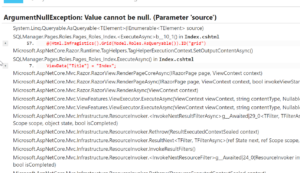
Fixed the model null value error but the Infragistics grid is empty.
0
Anitha Chellaperumal
answered on Aug 7, 2020 2:56 PM
Thank you. I could be able to build the application without an issue but the grid is empty. I have see the role count is 12 from my context but the grid is empty when there’s .DataSourceUrl(Url.Action(“GetRoles”)) But returning error when using .DataBind()