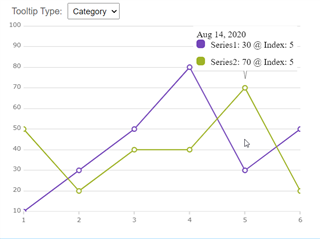
Currently, only the Item Tooltip Layer can places a tooltip at intersection of vertical line (running through X position of mouse cursor) with series line(s) You will need to request a new feature on this website If you want to render a tooltip exactly at position of mouse cursor regardless of data plotted in the chart. Alternatively, you could implement a new component that renders over the chart plot area at mouse position which you can get with this code:
public componentDidMount() {
        const elem = document.getElementById('chart');
        elem.addEventListener('mousemove', this.onMouseMove, false);
    }

 public onMouseMove = (e: any) => {
        const bounds = e.target.getBoundingClientRect();
        const relativeCoordinates = {
            x: e.clientX - bounds.left,
            y: e.clientY - bounds.top
        };

        const windowCoordinates = {
            x: (e.clientX - bounds.left) / bounds.width,
            y: (e.clientY - bounds.top) / bounds.height
        };

	// TODO update position of custom component (tooltip) using relative/window Coordinates

    }
You can style the tooltip container using attached css file.
theme_5F00_tooltips.zip