Drop down list for ASP.NETClick here to watch a video presenting the ASP.NET AJAX dropdown list control with powerful ASP.NET templating capabilities built-in. (Duration: 5:16)

WebDropDown™ is all about giving your users choices. When your users type, this intuitive dropdown (a.k.a. combo box) can suggest what they might be thinking of (allowing them to select something that much more quickly) based on selections that match. Being open-minded, it gives you the option to accept and persist as its own, values that your users type-in that may not be in its value list. It does this all seamlessly in the confined form factor of a dropdown that won’t take up too much space on the page.

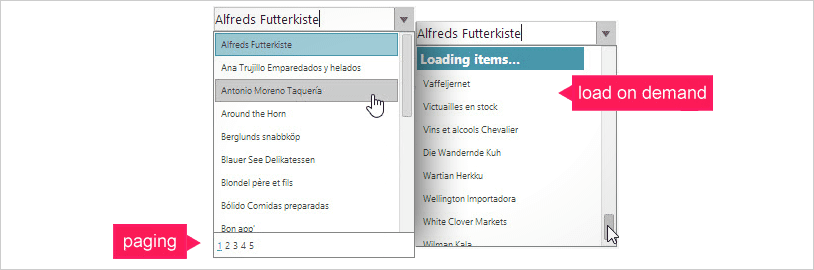
WebDropDown™ is also about performance. It knows AJAX, and uses it to great effect to fetch data through its scroll-on-demand functionality, incurring a cost only when list items must be shown to the user. You can also handle lots of data through paging, and the dropdown list is very flexible in the different pager modes and settings with which you can configure it. Above all, it provides a responsive user experience. You want to make speedy decisions and so do many of your users so there's no time to sit idle.

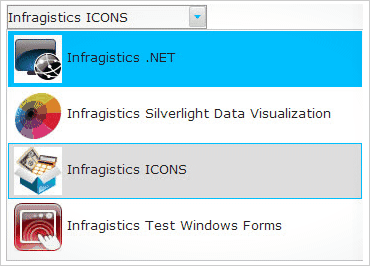
WebDropDown™ is finally about flexibility. You can template its items so that they incorporate other ASP.NET controls, even layouts like those of a multi-column dropdown. Configurability is easy, it integrates directly into Visual Studio® 2005/2008 with an advanced designer UI. Stylability couldn’t be simpler, as the Application Styling Framework™ and CSS support makes applying professionally-designed style sets a cinch.


Key Features at a Glance

Some of the key features of the ASP.NET AJAX dropdown list include:
  • High Performance – Lightweight markup and scroll-on-demand are just a few of the features that help give the dropdown its unrivaled velocity.
  • Data Binding – Developers can readily connect it to a data source, and have the dropdown list autogenerate its list items. It can also persist list items entered by the end user.
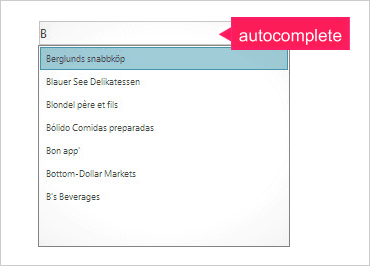
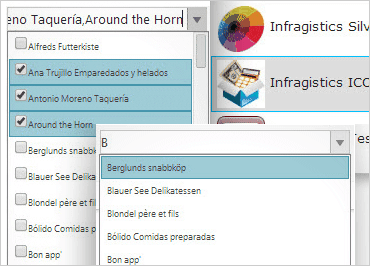
  • Auto Complete – Improves user productivity by suggesting list items that match the characters a user has started typing, leading to faster selections.
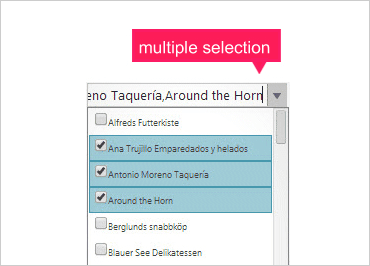
  • Single and Multi-Selection - Users can select one or many list items through a variety of conventional means like Ctrl- and Shift-clicking, drag-clicking and using the keyboard.
  • Templates – You have the ability to make every list item as simple or as sophisticated as you want, even incorporating multi-column data in your list items.
  • Client Side Object Model – Like every Infragistics ASP.NET AJAX control, you receive a robust dropdown object model which can be accessed programmatically through Javascript.