

Ultimate UI for ASP.NET Web Forms
Build Full-featured Business Applications in ASP.NET Web Forms
Build full-featured, intuitive business applications for any browser with Ultimate UI for ASP.NET Web Forms. A complete library of enterprise-grade, ASP.NET AJAX UI components and controls, including the world’s fastest data grid and charts.
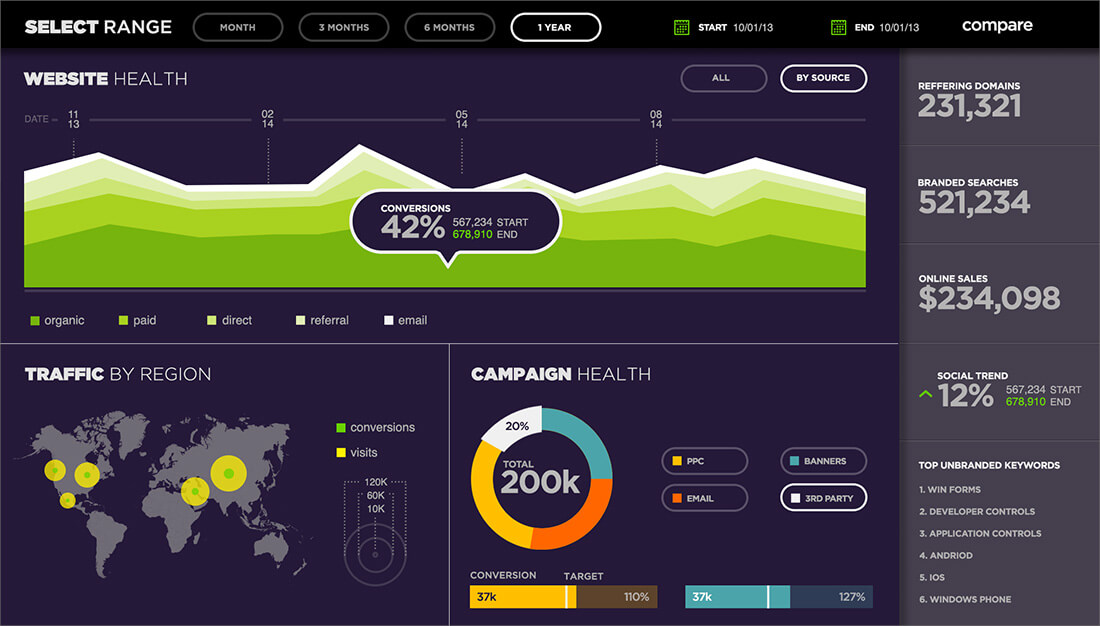
The Fastest ASP.NET Web Forms Data Grid
Our ASP.NET Web Forms data grid is built to be scalable and provide high-performance, with touch-friendly styling.
- Hierarchical ASP.NET Data Grid
- Data Tree
- Filter Excel® Style
- Multi-Column Footers
- Multi-Column Headers
- Column Fixing
- Batch Uploading
- Sorting Cell Merging
- Data Binding
- Virtual Scrolling
- High-Speed Data Entry
- Export to Excel
- Cell Merging with Grouping
- Outlook®-Style Group
- Multiple Child Bands
- Add, Edit, Delete
Stories That Truly Matter
More than two million developers use Infragistics UX and UI toolkits to support and accelerate their application development.




Through our partnership with Infragistics and the use of their development tools we have increased our ability to deliver our customers modern applications on premise, in the cloud and on a diverse set of devices with great user experiences.

Fujitsu
Read how Fujitsu uses Infragistics Ultimate UX and UI tools to build better apps for their customers.Read More
The Fastest ASP.NET Web Form Charts
Build feature-rich charts with less coding, and render more than 60+ rich, high-fidelity ASP.NET Web Forms charts. Including the most asked for financial, candle and radar charts, Ultimate UI for ASP.NET Web Forms fulfills your fintech and business needs.
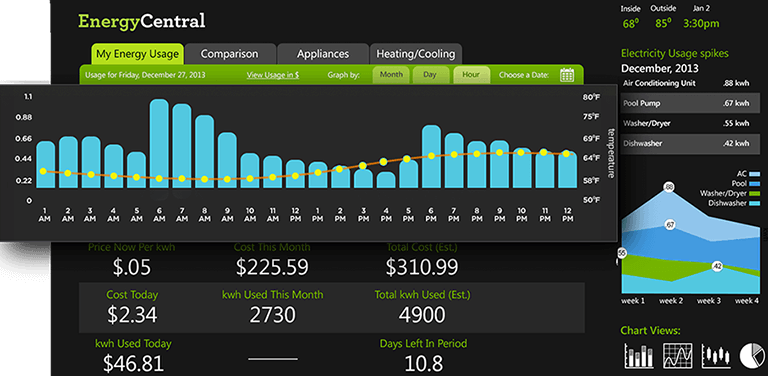
An ASP.NET Web Forms Chart for Every Occasion
Your charts shouldn’t just be fast; they should be all-encompassing. With every common category chart type – bar, line, pie, area, and more – you can visualize your data the way you prefer. Features Include:
- Multiple Rendering
- Design Time Convenience
- Composite Charting
- Advanced Graphics
- Data Entry and Display
- Frameworks
- Interactions
- Layouts
- Menus
- Scheduling
- Styling & Themes
Featured ASP.NET Web Forms Controls
Built for the enterprise with unique features and incomparable performance.
- Excel Framework Import and export Microsoft® Excel® workbooks in high-fidelity, with a compiled assembly that reads and writes in the widely-interoperable XLS/XLSX file format. Your app can run independently. Learn more
- Word Framework Create Microsoft® Word® docs in high-fidelity with the compiled assembly that writes in the widely-interoperable DOC/DOCX/WordML file format. Your app can run independently. Learn more
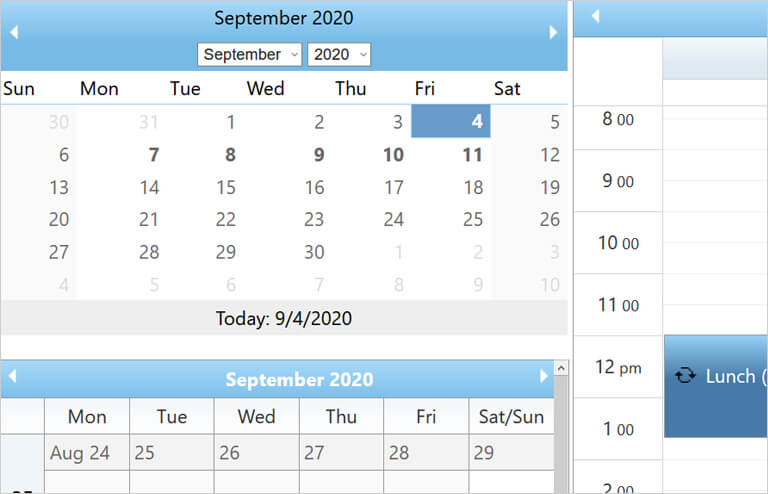
- Scheduling Schedule provides a common scheduling solution for presenting and managing time periods and the associated activities. Learn more

ASP.NET Web Forms UI Controls to Jumpstart Your Next Project
40+ full-featured, easy-to-use ASP.NET Web Forms components and controls give you the power to create high-performance, business applications for any browser.
Help and Samples
Everything you need to get started with your next ASP.NET Web Forms project!
Choose the Plan That's Right for You!
All bundles include App Builder™, the only cloud-based, WYSIWYG drag & drop design-to-code tool that helps teams build complete business apps faster than ever before. Every control has user experience ‘built-in,’ and our continuous release schedule ensures the fastest updates to all major frameworks.
The most powerful set of ASP.NET AJAX UI controls available. Includes access to source code.
Multi-year discount
- Everything in Ignite UI and Professional
- UI prototyping, design systems, user testing, app building and code gen
- The only complete UI/UX toolkit for building high performance, modern web, desktop and mobile applications
MULTI-YEAR DISCOUNT
- Everything in Ignite UI
- Comprehensive UI component library for web, mobile and desktop developers
MULTI-YEAR DISCOUNT
Don't Miss Out
Get 10% off Infragistics Professional when you click Buy Now.
- Everything in Ignite UI
- Comprehensive UI component library for web, mobile and desktop developers
MULTI-YEAR DISCOUNT
Join the Conversation

Infragistics ASP.NET Release Notes - April 2024: 23.1 Service Release
Stamen Stoychev
Infragistics ASP.NET Release Notes - December 2021: 20.2, 21.1 Service Release
Nikolay Alipiev
.NET Conference 2021 – All You Need to Know About The Event
Jason Beres [Infragistics]Frequently Asked Questions
Questions and Answers for Ultimate UI for ASP.NET Web Forms
What is Ultimate UI for ASP.NET Web Forms?
Ultimate UI for ASP.NET Web Forms is a complete library of user interface ASP.NET AJAX (UI) controls for building full-featured business applications, including 50+ data charts, grids, controls, and components.
What makes Ultimate UI for ASP.NET Web Forms different from other UI toolkits?
Ultimate UI for ASP.NET Web Forms is the most complete library of enterprise-grade, ASP.NET AJAX UI controls available. Backed by Infragistics 30+ years of industry leadership and our award-winning live support, Ultimate UI for ASP.NET Web Forms provides you with everything you need to build modern, progressive web apps.
How does the pricing and licensing for Ultimate UI for ASP.NET Web Forms work?
Ultimate UI for ASP.NET Web Forms is licensed via a subscription model. A single developer license starts at $1,595 USD for a one-year subscription, including one year of standard support and updates. We also offer discounts for multi-year licenses. Please refer to our Pricing page for more information on pricing.
How do I get started with Ultimate UI for ASP.NET Web Forms?
The best place to get started would be here where you can find all of our documentation and getting started materials for each of our toolsets.