Switch
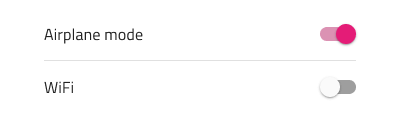
Use the Switch Component to allow the user make a selection, which most often expresses turning on/off a configuration in a list of settings. The Switch is visually identical to the Ignite UI for Angular Switch Component
Switch Demo
Theme
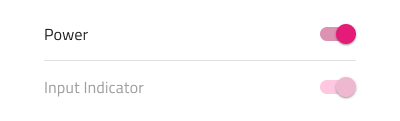
The Switch can be used styled in dark and light variants to assure good readability and contrast for both lighter and darker backgrounds.

Label use
The Switch is used with or without label. In order to hide the label, set its text value to a blank/space character and reduce the width of the component to e.g. 38px.

State
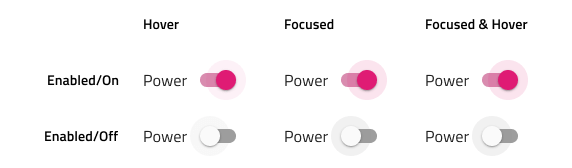
The Checkbox provides on and off selection states with additional variants for a disabled interaction state.

Styling
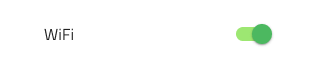
The Switch comes with styling flexibility, allowing control over the thumb and track colors. There is a fixed alpha value applied to the track to make it semi transparent.

Usage
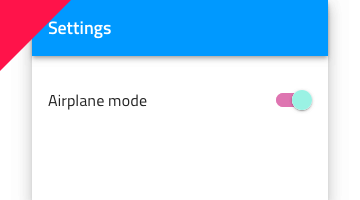
The Switch should appear to the right of the label describing the option, in regard to whose state it controls, in a list of settings. Avoid placing it near the left edge of the screen, and if that is absolutely necessary for a reason, please use a Checkbox instead. Also, use the same or very similar colors for the Switch thumb and track.
| Do | Don't |
|---|---|
![]() |
![]() |
![]() |
![]() |
![]() |
![]() |
Code Generation
This section describes some important overrides and how they affect code generation.
Warning
Triggering Detach from Symbol on an instance of the Switch in your design is very likely to result in loss of code generation capability for the Switch.
Data Property
When supplied, the 🕹️DataProperty value is used to set up a two-way data binding using Angular Reactive Forms to the switch checked property. The 🕹️DataProperty is optional. The 🕹️DataProperty is the name of the property on the data object specified by the model object name provided during code generation.
When a model object name and 🕹️DataProperty are provided, the TypeScript ngOnInit method with be populated with form builder code to create the Reactive Forms form. The 🕹️DataProperty will be used to populate the formControlName property on the switch control.
State
When the State property is off or disabled the control is not rendered.
Label Style
If the Text Style is None the control label text will not be rendered. Label Style is used to control the alignment and color of the text in the Switch.
Text
The Text property may contain text, binding text, or a combination of the two, examples:
- Settings
- {settingsLabel}
- Important {labelText}
Thumb
If the Thumb is None the control is not rendered. A property that sets the color of the round thumb portion of the switch.
Track
If the Track is None the control is not rendered. A property that sets the color of the track portion of the switch.
Additional Resources
Related topic:
Our community is active and always welcoming to new ideas.