

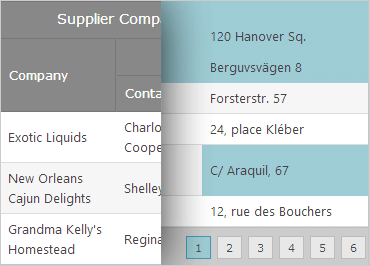
ASP.NET Data Grid
Put data tables at your users’ fingertips with the high performance, scalable ASP.NET AJAX data grid. Rapidly display and edit flat, tabular information with rich features to sort, move, filter, and template your data. The control features touch- friendly styling and support for flicking and multi-touch gestures on mobile devices.
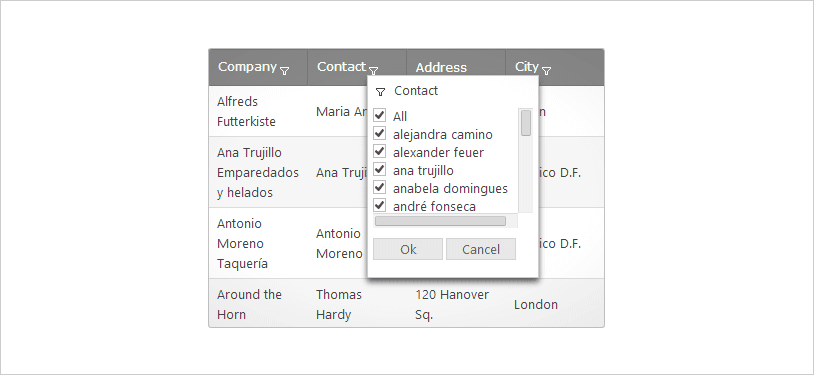
Filtering–Excel® Style
Extend the filtering capabilities of your grid with Excel-style filtering, filing by unique values, and custom column filters.
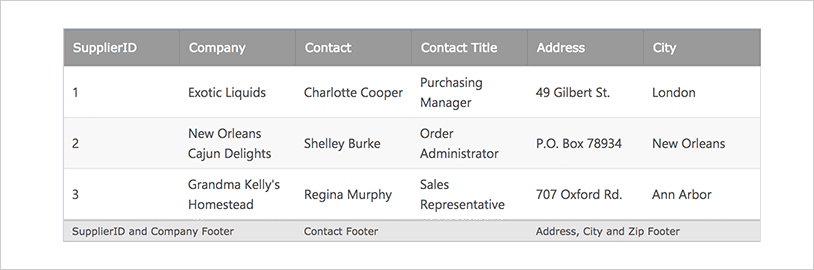
Multi-Column Footers
Customize the footer area and display labels with Multi-Column Footers. This feature is a perfect complement to the column summary feature of the Grid.
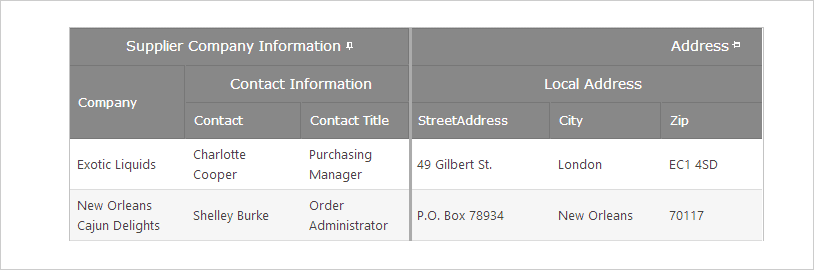
Multi-Column Headers with Column Fixing
When you need flexibility to showcase your information, two features are better than one. Create multi-level headers while moving, fixing, and resizing columns on the left or right.
Batch Updating
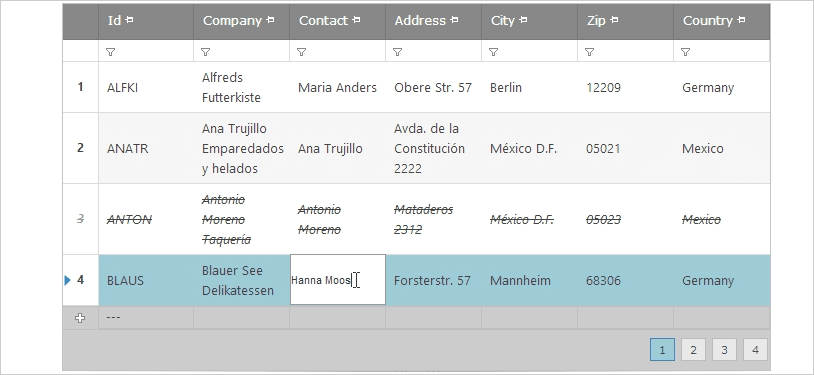
Retain user updates within the grid’s temporary storage on the client-side until the user is ready to commit it to the data store. Applications that have heavy data entry scenarios with the grid will be less chatty with the server, so you can run all your business, data, and other input validations in one request against the user data.
Sorting Cell Merging
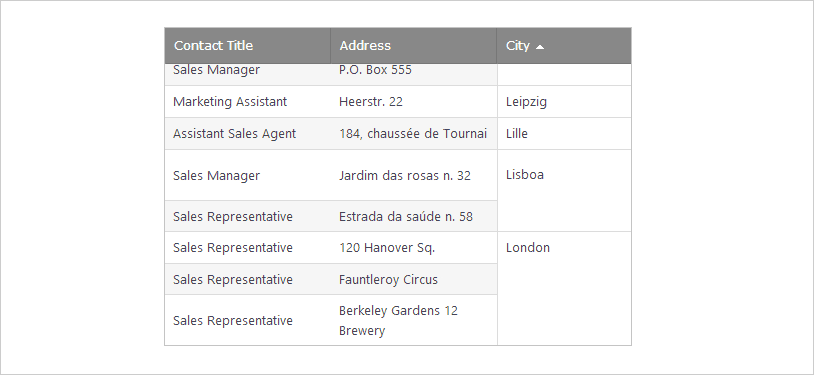
Our first RTM of the Cell Merging feature includes the functionality you need for the best cell merging experience on the web. This sample demonstrates the cell merging capabilities you have when sorting data.

Load Only What You Need
Grid configures automatically for the optimal performance per instance. WebDataGrid sends only the JavaScript & HTML required for the features you enable on it, so unnecessary JavaScript & HTML files are sent to the web browser.
Databinding
Databind to any type of .NET collection and the grid can auto-generate its columns and rows by going through the data source. Bind the grid to SQLDataSource, LinqDataSource, AccessDataSource, EntityDataSource, AccessDataSource controls as well.
Feature Rich Grid
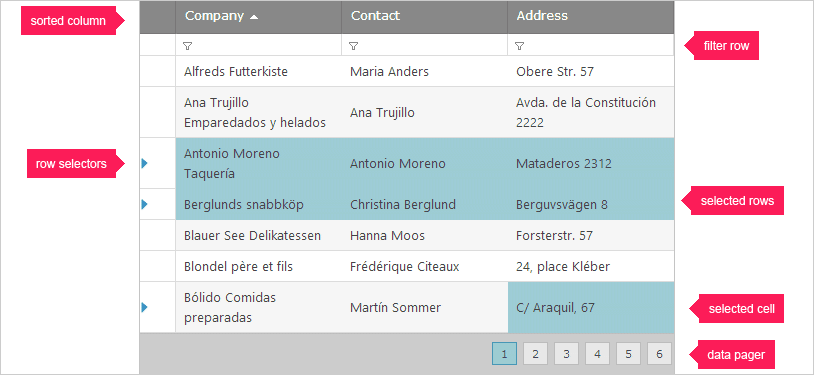
The grid supports the common spreadsheet operations, including: column moving, fixing, resizing, sorting, paging, filtering, keyboard navigation, editing, row summaries, and more.
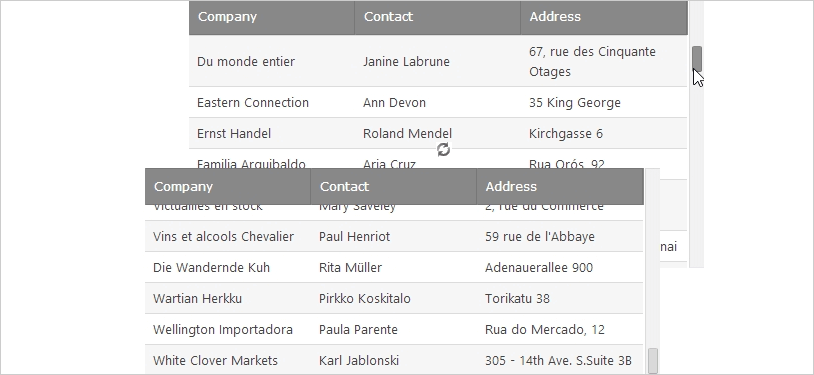
Virtual Scrolling
Want more performance from your data display? Enable virtual scrolling, and only the data displayed in the view port of the grid will be fetched from the server as the user scrolls, saving load time and increasing productivity.
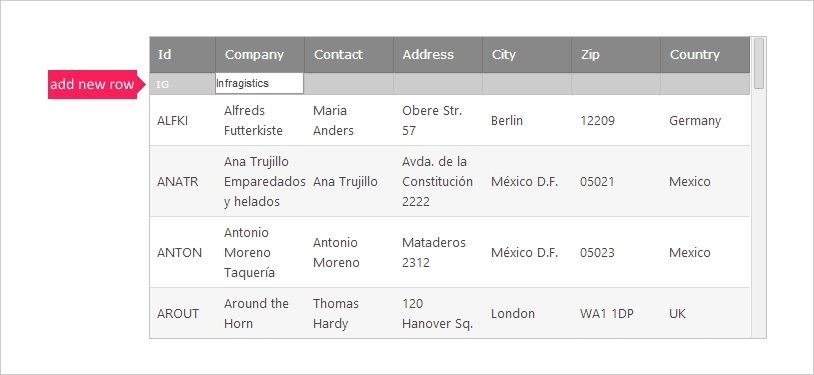
High Speed Data Entry
Enter data within the cell, using templates that match custom editors and the column's data type. This allows for adding and deleting rows. Additionally, validations can be performed within the grid cell as the user is entering data.
Export to Excel
Export grid data to an Excel file easily with one line of code using the WebExcelExporter.
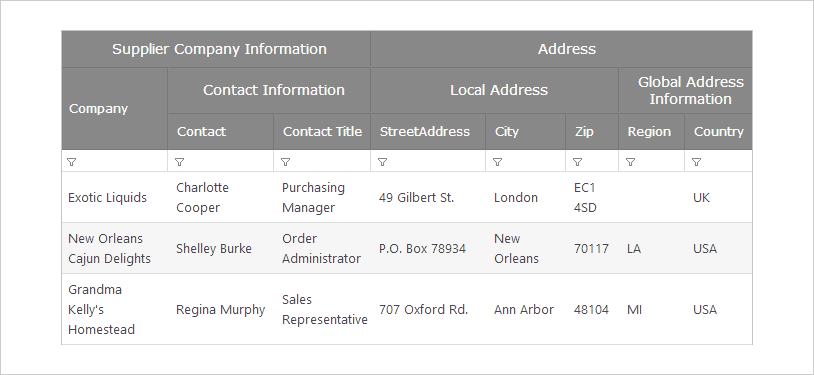
Multi-Column Header
Create column groups in your WebDataGrids to customize the layout of the displayed information.